
01 / THE ARRIVALFLEXIPAX MARINE
The crossing is ahead. The passenger’s cabin key is on their phone. One less thing to collect. One less thing to carry.
Mobile cabin keys for cruise and ferry operators.
Connect compatible locks, booking systems and passenger access.

ALL ABOARD. NOT IN LINE.
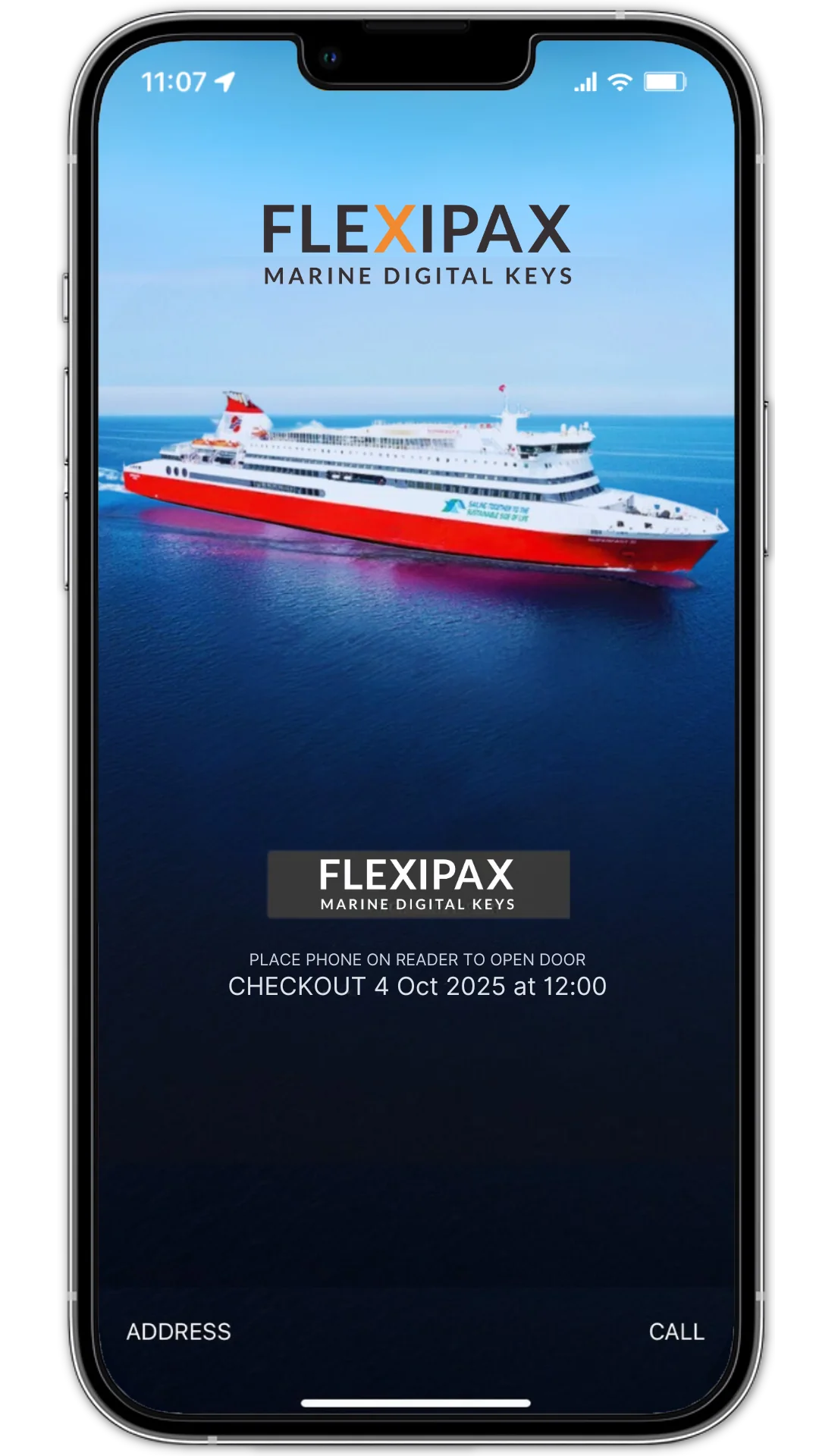
The crossing is the experience.
Cabin access should feel like part of it.

Bags in hand.
A cabin waiting.
One less queue.
Physical key distribution adds a stop to the journey. A digital key puts cabin access on the passenger’s phone—so they can get on with being away.
The crossing is ahead. The passenger’s cabin key is on their phone. One less thing to collect. One less thing to carry.
At a compatible cabin lock, the phone becomes the key. A small gesture replaces the handover of a physical card.
The cabin is open. The bags are down. Your passenger can settle in—and your team can focus on the journey ahead.
FLEXIPAX provides mobile cabin keys for cruise and ferry operators. It connects compatible Bluetooth locks with booking systems so passengers can use a smartphone to access their cabin.
Review Bluetooth compatibility, lock software and your reservation system before planning the integration.
Explore compatible integrationsDeliver mobile keys through a passenger app, an existing native app using the SDK, or an API integration.
Explore the API and SDKOnce a key is downloaded, it remains available until checkout. Key downloads and cabin changes need a data connection.
Read passenger access FAQsBring your lock provider and booking-system details to the conversation.
One small connection.
More space for the moments
that make a journey.
A better arrival starts with the systems behind the cabin door.
EXPLORE MARINE MOBILE KEYSBegin at the cabin door. Review your existing lock provider, Bluetooth compatibility and lock software.
CABIN LOCK INTEGRATIONSConnect reservation information and key delivery through an API or SDK integration that fits your passenger experience.
API & SDK OPTIONSGive passengers a mobile cabin key, with physical keycards available as a familiar alternative.
READ THE ATTICA GROUP STORYFor the passenger, it’s a tap.
For your operation, it’s the connection between cabin locks, booking systems, and digital access.
Start with your existing cabin locks. Check Bluetooth Low Energy compatibility and the status of your door-lock software.
ASSESSConnect your internal or external booking reservation system with digital key delivery through the FLEXIPAX open API.
DEVELOPER RESOURCESIntroduce mobile cabin access and reduce the manual work of physical key distribution. Your team supports the journey. Their phone carries the key.
WELCOMETHE EXISTING FLEXIPAX MOBILE KEY EXPERIENCE“FLEXIPAX is intuitive, easy to use, and has significantly helped Attica Group save valuable time while enhancing our passenger experience.”
Mobile cabin access, explained for your next fleet conversation.
DISCUSS YOUR VESSELFLEXIPAX provides mobile cabin keys for cruise and ferry operators. Marine operations, IT teams and integration partners can discuss connecting passenger access with compatible cabin locks and reservation systems.
Compatibility needs to be reviewed with your lock provider. Start with the lock model, Bluetooth Low Energy capability and door-lock software version; the team can then discuss the integration requirements for your vessel.
FLEXIPAX offers API and SDK integration options for reservation systems and passenger applications. The right approach depends on your current systems and how you want to deliver keys to passengers.
Once downloaded, a mobile key remains available until its checkout date and time. Downloading or updating a key, including after a cabin change, requires a data connection.
Physical keycards can remain available alongside mobile keys. A passenger without a usable phone can ask reception for a physical keycard.
Bring your vessel or fleet context, cabin-lock provider and model, reservation-system details, and passenger-app requirements. These help the team discuss compatibility and the most appropriate integration approach.
Your fleet.
Your passengers.
Let’s connect the journey.